

|
VMWare Fusion 4.0
|
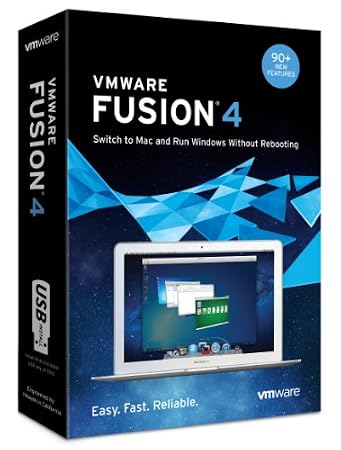
DescriptionSwitch to a Mac and Run Windows Programs Without RebootingVMware Fusion 4 has been refined from the inside-out to give users the easiest, fastest and most reliable experience in running Windows applications on a Mac without rebooting. With over 90 new features including OS X Lion optimization, an even more Mac-like design and next-generation 64-bit performance, VMware Fusion 4 is the best way to run Windows on a Mac without rebooting. 
Migration assistant makes it easy to transfer your entire PC to your Mac.
Switching From a PC to a Mac Made EasyVMware Fusion's migration assistant for Windows makes it easier than ever to transfer your entire PC to your Mac and make the most of your Windows software investment. Get the best of both worlds and have access to your Windows programs and all your files from your old PC directly on your Mac, whenever you need them. Run Your Favorite Windows ProgramsRun your favorite Windows programs alongside Mac applications without rebooting. Whether you want to run Windows XP, Vista or 7 on a Mac, VMware Fusion's easy install feature will get you up and running in no time. With the ability to run Windows-only programs like Microsoft Project, Access and Internet Explorer, VMware Fusion turns your Mac into the ultimate computer for compatibility. 
Run your favorite Windows programs alongside Mac applications without rebooting. View larger.
Use Specific Windows-Only Devices on Your MacVMware Fusion 4 lets you use Windows-only USB or Bluetooth devices on your Mac–from GPS receivers, to cell phones or mp3 players and other input devices that are only supported in Windows. The Perfect Complement to Boot CampNo more choosing between Windows or Mac at startup, VMware Fusion lets you run Windows and Mac applications side-by-side directly from your existing Boot Camp partition. Why VMware Fusion?Made by the leader in virtualization, VMware Fusion 4 offers unique yet simple ways to run Windows programs on a Mac. Running Windows Programs on a Mac is EasyVMware Fusion 4 makes it easier than ever to run Windows on a Mac. Run Windows programs the same way you use Mac applications, with seamless copy-and-paste, drag-and-drop, and networking and printing capabilities that require no additional setup. Keep Your Windows Programs Separate or Fully Integrated
VMware Fusion 4 has a View for Everyone…
Run Windows Programs Like Mac ApplicationsLaunch Windows programs directly from the Dock, Spotlight or Launchpad and view them in Expose, Spaces and Mission Control as if they were Mac applications. Easily interact with Windows programs using Mac shortcuts and OS X Lion gestures. More Compatible than Ever BeforeWith added support for virtualizing OS X Lion as well as over 200 operating systems, VMware Fusion 4 will turn your Mac into the most compatible computer you've ever owned. 
Added support for virtualizing OS X Lion. View larger. Made by the Virtualization LeaderTrusted by Mac professionals and millions of users worldwide, VMware Fusion 4 brings the stability and reliability that can only be delivered by the leader in virtualization. Used by 96% of the Fortune top 1000 companies, VMware has won more than 280 awards for its virtualization-leading software including the industry-acclaimed Macworld Editor's Choice award. We've Got You CoveredFor added peace of mind, we've included 18 months of free email support and a 12-month complimentary subscription to McAfee VirusScan Plus to protect your Windows environment. What's New in VMware Fusion 4?Turbocharged and refined from the inside-out for the ultimate Windows on Mac experience.VMware Fusion 4 has been turbocharged and refined from the inside-out to deliver the easiest, fastest and most reliable experience in running Windows programs on a Mac without rebooting. Designed for OS X LionVMware Fusion 4 is designed for OS X Lion. The updated user interface makes working with your Windows applications quicker and easier. Launch Windows applications from LaunchPad, move from Windows to Mac with a single swipe in Mission Control and beautiful high-resolution icons. It just works. VMware Fusion 4 is also compatible with Mac OS X 10.6.7 (Snow Leopard).

Updated user interface makes working with your Windows applications quicker and easier. View larger. Even More Mac-likeVMware Fusion 4 enhances the way you experience Windows applications on your Mac. From the new App Unity feature, to the redesigned user interface, and Time Machine-compatible Snapshots, everything has been refined to give users an even more Mac-like experience when running Windows applications on your Mac.
Get Better Performance, Faster Graphics and Outstanding Reliability.Optimized for today's multi-core Macs and with support for OpenGL 2.1 and DirectX 9.0c Shader Model 3 graphics, VMware Fusion 4 will run Windows and Mac applications side-by-side at incredible speeds without sacrificing reliability. 
2.5x faster 3D graphics
With more than 2.5x faster 3D graphics, VMware Fusion 4 is faster than ever. Get the stability and reliability that can only be delivered by the leader in virtualization. Used by 96% of Fortune 1000 companies, VMware has won more than 280 awards for its virtualization leading software. Great New Learning CenterGet the most out of VMware Fusion 4 with the new learning center. Learn how to get started, transfer your entire PC to your Mac or install a new copy of Windows and more through step-by-step easy to view video tutorials. Features
What Differentiates VMware Fusion 4 From Other SolutionsVMware Fusion is designed from the ground up for the Mac and preloaded with powerful new features which allow you to run Windows applications even more like Mac applications. Engineered in California by the worldwide leader in virtualization, VMware Fusion is the best way to run Windows on your Mac. VMware Fusion 4 is Recommended ForHome users, students and business professionals who are looking for the fastest, easiest and most reliable way to run Windows and Mac applications side-by-side on their Mac without rebooting. What's in the box?VMware Fusion 4 Software DVD, VMware Fusion 4 USB Key, link to new Learning Center with video tutorials, Quickstart Guide, VMware stickers, 18-months of free email-support (English only), 12-month complimentary subscription to McAfee VirusScan Plus.
PlatformsMacintosh
|
|||||||||||||||||||||||||||||



Become a fan of CoderLobby.com | Best Source for Software Downloads on Facebook for the inside scoop on latest and most exclusive software.