

|
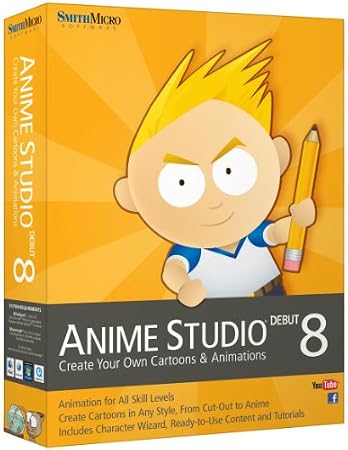
Anime Studio Debut 8
|
DescriptionAnime Studio Debut 8 is the complete 2D solution for easily creating cartoons, anime, or cut-out animations for film, video, or sharing online. This program is an animation suite for all skills levels with loads of helpful features to make animating fun including infinite characters and extensive resources. From the library of pre-designed content to automatic tracing and enhanced animation tools, the program is easy to use as well as efficient. Bring your imagination to life with Anime Studio Debut 8, your all-in-one animation solution. PlatformsWindows Vista, Mac OS X 10.5 Leopard, Windows 7, Mac OS X 10.6 Snow Leopard, Mac OS X 10.7 Lion, Windows XP Product Features
Editorial Review
Make your characters talk with built-in Audio Recording and Lip-Syncing. View larger.
Anime Studio Debut 8Create Your Own Cartoons and AnimationsCreate Animations in MinutesThe fun, quick and affordable way to create animations, Anime Studio is the ideal solution for first-time animators, hobbyists and digital artists. A Beginner's Mode and Character Wizard allow you to design your own ready-to-animate characters in minutes. Organize Projects with the Timeline, Keyframes and LayersMove your character naturally along the timeline with keyframes, creating smooth animations. Use multiple layers to edit your animation and add sound, special effects and more. 
The Beginner's Mode gets you started quickly. View larger.
Use Bone Tools to Quickly Animate Your CharactersA unique bone-rigging toolset allows you to create a skeleton that can be easily manipulated to animate characters, simple drawings, or objects in your animation. Create Your Own Art or Import Content to Get Started QuicklyDraw your own art with intuitive vector-based draw and paint tools or use pre-built content from the Library to get started. Easily import your hand-drawn sketches or existing artwork from popular graphics programs and automatically convert them to ready-to-animate vector drawings. 
Animate your creations using bones. View larger.

Create an endless amount of ready-to-animate characters using the Character Wizard. View larger.
Share EverywhereExport to the most popular web and video formats, or upload and share on YouTube or Facebook directly from within Anime Studio. Utilize an Array of Powerful and Versatile FeaturesFree Characters: Use pre-built characters including Jace, Liz, Lightning Man, Dexter and Anime Boy. All are royalty-free, vector-based creations. Import and Export Art: Bring in your Illustrator or layered Adobe Photoshop files; instantly gather all your project files in one location. Tons of Tutorials: Access videos and sample files to master powerful features and start animating right away. Bring Your Photos to Life: Import your favorite images from your digital camera, attach bones and easily turn your photographs into animated movies. FeaturesNew! Character WizardCreating your own characters has never been easier. Quickly design ready-to-animate characters using the built-in Character Wizard. Select a preset, dial in the body proportions and choose from dozens of predesigned 2D components such as hands, feet, mouths, eyes, noses and heads. The look and feel of each character is fully customizable with the help of easy to use sliders. Choose from various clothing choices and custom color combinations, or create a virtually endless amount of fun and different characters using the Randomize feature. Each character comes with multiples views and can be imported with a complete walk cycle, allowing you to have your characters walk in your scene with the click of a button. Even attach head shots of you and your friends for fast and easy jib-jab style animation. 
The Content Library is packed with hundreds of ready-to-use characters, props, scenes and more. View larger.
New! Automatic Image TracingQuickly bring your scanned drawings and photos to life by converting them to ready-to-animate vector art with the click of a button. Color your vector art, resize without loss in image quality and animate using bones. Existing drawings such as heads can quickly get attached to a pre-animated character that you created with the Character Wizard, providing versatility and speed when creating your own characters. New! Enhanced Drawing ToolsCombine the freehand tool's smart welding feature with the Delete Edge tool to create complex shapes quickly. This eliminates the need for precise drawing, giving you the freedom to sketch as you desire. Additional brush styles have been included and optional rounded end caps have been added to the drawing tools. 
Apply a cut-out style effect to any character or object. View larger.

Quickly convert existing drawings to vector art. View larger.

Anime Studio Debut 8 offers an intuitive interface with powerful tools. View larger.
New! Vector Shape SelectorQuickly find and edit vector layers using the Vector Shape Selector. You no longer have to worry about naming each layer to easily find the one you're looking for. Just click on a shape in your project, and the corresponding layer automatically gets selected for editing. This eliminates tedious searching for the layer you want to edit. New! Layer Outline EffectsQuickly apply a cut-out style effect to any character or object. Set the width and color for each outline and customize the look and feel of your animation. New! Enhanced User InterfaceAnime Studio 8 introduces new User Interface colors, allowing you to choose from various preset color schemes or create your own. The new Smart Tool Palette provides a less cluttered interface and a better user experience by hiding irrelevant tools. New! More Ready-To-Use ContentAnime Studio Debut provides an extensive content library with hundreds of pieces of ready-to-use content that includes fully rigged, vector-based characters like Jace, Thorn, Anime Boy and Liz, as well as props, scenes, action words, stock video and images, sound effects and more so you can start creating your own animations right away.
|
||||||||||||||||||||||||||


Become a fan of CoderLobby.com | Best Source for Software Downloads on Facebook for the inside scoop on latest and most exclusive software.