

|
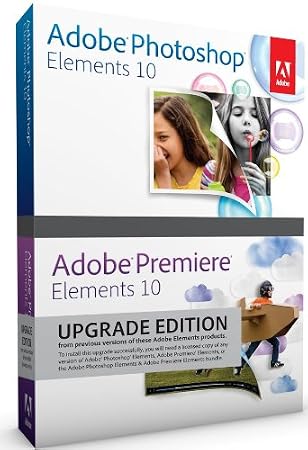
Adobe Photoshop Elements & Premiere Elements 10 Upgrade (Win/Mac)
|
DescriptionPEPE Bld v10 Upgrade PlatformsWindows 7, Windows Vista, Windows XP, Mac OS X 10.6 Snow Leopard Product Features
Editorial ReviewNew Adobe Photoshop Elements 10 & Adobe Premiere Elements 10 software makes it easier than ever to do more with photos and videos together. Enhance specific photo areas with dozens of new effects and patterns. Easily create the Orton Effect as well as depth of field and picture collage effects. Bring photos to cinematic life with pan and zoom motions. Enhance color in specific areas of your movies. And much more. 
Turn everyday memories into sensational photos you'll cherish forever with Adobe Photoshop Elements 10.
The #1 Selling Consumer Photo- and Video-Editing SoftwareChoose a Trusted SolutionBring your photo and video collection to life with a powerful solution from the makers of Adobe Photoshop and Adobe Premiere Pro, industry-leading professional photo- and video-editing software. Get Everything You Need for PhotosUse Adobe Photoshop Elements 10 software for all your photo needs. Edit, enhance, and find photos; make custom creations; share via print, the web, and mobile devices; help protect photos; and view photos virtually anywhere you are. Get Everything You Need for VideosUse Adobe Premiere Elements 10 software for all your video needs. Import and organize clips, edit them yourself or use automated options, share on virtually any screen, help protect videos, and view them virtually anywhere you are. Enjoy Your Media on the GoEasily share your photos and videos with your social network and view them virtually anywhere you are. Photos and videos are synced between your desktop and devices so you see the same ones at home and on the go. Easily Do More With Video Clips and PhotosMake all your memories shine whether they're captured on video or in photos. For example, enhance color in video clips as easily as you do in photos, and quickly bring photos to life using customized pan and zoom motions. 
Turn milestone moments into memorable movies you'll share with pride.
Use Photos and Videos Together in Creative WaysEnhance traditional photo slide shows with cinematic effects (Windows only). Add text and graphics to individual video frames and then put them back in your movie for fun freeze-frame effects. And give your movies dimension by adding photos. Get Creative InspirationBring your ideas to life with relevant photo- and video-editing how-tos that appear just when you need them. New how-tos help you explore creative possibilities. Go From Flawed to Phenomenal Photos in SecondsUse one-step shortcuts to whiten teeth; make skies bluer; and fix color, contrast, and lighting–and then choose the best result from a group of adjustment previews. Instantly unclutter photos, and use crop guides to improve composition. Create a Polished Movie InstantlyTake advantage of Hollywood directors' techniques with InstantMovie, which automatically edits together your best clips with coordinated music, titles, and effects from your choice of movie theme. All-new themes are included. Dramatically Transform Your Photos With Easy-to-Use OptionsEnhance specific areas of your photos with brush-on effects, including 30 all-new options. Convert your color originals to elegant, nuanced black-and-whites, or use color curves adjustments to get the perfect exposure. 
People Recognition automatically identifies the people in your photos, taking the work out of tagging each photo (also works with dogs like Buddy, above).

Create an InstantMovie that combines video and photos using your best footage or quickly bring photos to life using customized pan and zoom motions.
Save Time With Automated OptionsLet Adobe Premiere Elements software automatically fix shaky footage and color and lighting problems, trim away all but your best footage, and balance audio elements to give you professional-quality sound throughout your movie. Count on Step-by-Step AssistanceWant to easily fix a scratch, simulate depth of field, or design a scrapbook page? Use Guided Edits to get help with key steps so you can get the results you want fast. Make Movies With Drag-and-Drop EaseCreate your story fast in the Sceneline, an easier alternative to the more traditional video-editing Timeline. Make your movie by simply dragging and dropping thumbnails of your clips, transitions, and effects. Easily Create the Perfect PhotoTake advantage of amazing Photomerge technology to easily match the style of one photo to another; create fuller panoramas, perfectly lit shots, and great group shots; and combine elements of different faces for entertaining results. Easily Find Your Photos and Video ClipsEasily bring all your media together in the convenient Organizer, and use automated options to find your best photos and clips–or photos of specific things and people. Why Upgrade to Adobe Photoshop Elements 10 & Adobe Premiere Elements 10?Paint Effects Onto Specific Photo AreasSimply paint on 1 of 100 effects and patterns, including 30 new options, to enhance areas of your photos. Turn Photos Into Entertaining MoviesEasily bring your photos to life using customized pan and zoom motions that add drama or fun to fit your story. Automated options can even do the work of finding faces and panning and zooming to them. 
Three-Way Color Corrector lets you independently adjust colors in specific areas, such as highlights, shadows, and midtones for perfect color throughout your movie.

Visual Search, now available for Mac, is also enhanced for Windows, making it easier than ever to search for similar photos, such as sunsets.
Easily Create Stunning Photo EffectsUse new Guided Edits for step-by-step assistance when you want to highlight your subject by simulating depth of field, add a diffuse glow to create a dreamlike Orton Effect, or break a photo up into a fun collage of snapshots. Easily Enhance or Correct Footage ColorFootage color a little flat? Automatically boost tone and vibrance without affecting skin tones, or use sliders to adjust color with complete control. You can also independently adjust color in highlights, shadows, and midtones for perfect color throughout your movie. Add Curving, Flowing TextGive photos or creations added flair with text that curves or flows any way you wish. Get HD Quality on Standard DVDsBurn HD quality movies to affordable DVD discs using standard burners. Tag Faces in Photos Faster Using Your Facebook Friends ListUse your Facebook Friends list to quickly tag faces in your photos and easily share them on Facebook. Quickly Share on Popular SitesImport video clips and immediately share them on Facebook and YouTube, and quickly share finished movies on Facebook. Find Photos That Contain Specific ObjectsWant to find shots that include your surfboard, your grandma's house, or the Eiffel Tower? Let Object Search automatically find your photos based on what's in them. Get Better Composition With Crop GuidesMake any photo more interesting or energetic using new crop guides. Choose either the Rule of Thirds or Golden Ratio option to create the best composition for your photo.
|
|||||||||||||||||||||||


Become a fan of CoderLobby.com | Best Source for Software Downloads on Facebook for the inside scoop on latest and most exclusive software.