

|
Printmaster 2011 Platinum
|
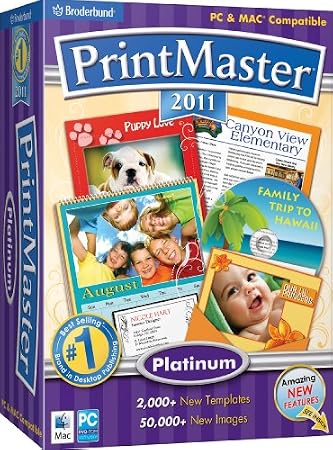
DescriptionWhether you are capturing a memory or adding a splash of creativity to your life, PrintMaster 2011 Platinum is packed with everything you need to create personalized projects in minutes. Complete with quality designer templates, tons of clip art, drag-and-drop tools, a built-in photo editor and more, PrintMaster puts easy design tools into your hands. Get started today and capture your fondest memories with photo greeting cards, scrapbook pages, family trees and other exciting projects. PlatformsWindows Vista, Mac OS X 10.5 Leopard, Mac OS X 10.4 Tiger, Windows 7, Mac OS X 10.6 Snow Leopard, Windows XP Editorial ReviewPrintMaster 2011 PlatinumThe Fun and Easy Way to Create Personalized Projects and CraftsCreate personalized print projects in minutes – anything you can imagine, you can create!* PrintMaster 2011 Platinum is easy-to-use design software that's great for making a greeting card, capturing memories in a scrapbook, creating a calendar or writing a newsletter to keep in touch with friends and family. It's the ultimate creative toolkit for all your craft projects. 
PrintMaster is a page layout design tool is great for making projects for home, work, school, organizations and more! Whether you're capturing a memory or adding a splash of creativity to your life, PrintMaster 2011 Platinum delivers tons of quality ready-made designer templates, clip art, easy-to-use design tools, a built-in photo editor, advance color match technology, and so much more to create personalized print projects quickly and easily. PrintMaster 2011 Platinum is easy to install and start designing today! Features:
Powerful Design Tools View larger.
What's New in 2011?
Incredible Image Gallery.
2,000+ new templates–PrintMaster templates are created by design professionals, making it easy for you to get started quickly and easily. 
Create fun shapes–including new die cut shapes.
50,000+ new high-quality clip-art images–Enjoy irresistible PNG files with transparent backgrounds in a wide variety of categories. New! Add dimension to your project with die-cut shapes–Shapes can be added, then cut and removed to let your creativity shine through. 
Matching Sets
New! Matching sets–Search through templates in matching sets, making it easier to create party sets and stationery. Improved hard-drive space–smaller footprint on your hard drive, only one disc to install! Improved content searching–Larger thumbnails and higher preview resolution make it easier to find what you are looking for. Improved headlines, including 3D effects–Headlines are a great way to add pizzazz to any project and are sure to impress friends and family. 
Improved calendar tools.

Wizard Design
Improved grouping functionality–Grouping objects allows you to create a new object that can be manipulated as if it were a single object. Improved calendars–Create personalized calendars to keep track of appointments or make great gifts. Wizard for projects, business cards, and label sheets–Create it once and print it multiple times. The sky's the limit with these projects and so much more!

Screenshot 1 View larger.

Screenshot 2 View larger.

Screenshot 3 View larger.

Screenshot 4 View larger.

Screenshot 5 View larger.

Screenshot 6 View larger.
|
|||||||||||||||||||||||||||||||


Become a fan of CoderLobby.com | Best Source for Software Downloads on Facebook for the inside scoop on latest and most exclusive software.